Swift Bat Lightcurve Data (gdt.missions.swift.bat.lightcurve)
The science data produced by BAT can be summarized as a time history of spectra, which is provided temporally pre-binned (1 s and 64 ms). These data types are produced as “snippets” for every single GRB. One of the most common things that a user of BAT data wants to do is look at this data (what we call a lightcurve) over some energy range.
The data are pre-binned data with 64 ms and 1 ms binning and which have 4
energy channels. These data files can be read by the BatLightcurve
class.
>>> from gdt.core import data_path
>>> from gdt.missions.swift.bat.lightcurve import BatLightcurve
>>> # read a 1s file
>>> filepath = data_path.joinpath('swift-bat/sw00974827000bev1s.lc.gz')
>>> file = BatLightcurve.open(filepath)
>>> file
<BatLightcurve: sw00974827000bev1s.lc.gz;
  trigger time: 612354468.864;
  time range (612354228.5, 612355431.5);
  energy range (15.0, 350.0)>
Since BAT uses the FITS format, the data files have multiple data extensions, each with metadata information in a header. There is also a primary header that contains metadata relevant to the overall file. You can access this metadata information:
>>> file.headers.keys()
['PRIMARY', 'RATE', 'EBOUNDS', 'STDGTI']
>>> file.headers['PRIMARY']
TELESCOP= 'SWIFT   '           / Telescope (mission) name
INSTRUME= 'BAT     '           /  Instrument name
OBS_ID  = '00974827000'        / Observation ID
TARG_ID =               974827 / Target ID
SEG_NUM =                    0 / Segment number
TIMESYS = 'TT      '           / time system
MJDREFI =                51910 / MJD reference day Jan 2001 00:00:00
MJDREFF = '0.00074287037'      / MJD reference (fraction of day) 01 Jan 2001 00:
CLOCKAPP= 'False   '           / If clock correction are applied (F/T)
TIMEUNIT= 's       '           / Time unit for timing header keywords
TSTART  =          612354229.0 / As in the TIME column
TSTOP   =       612355431.1402 / As in the TIME column
DATE-OBS= '2020-05-28T10:23:44'
DATE-END= '2020-05-28T10:43:46'
ORIGIN  = 'GSFC    '           / file creation location
CREATOR = 'BAT2FITS V7.21'     / file creator
TLM2FITS= 'V7.21   '           / Telemetry converter version number
DATE    = '2020-06-07T06:31:25' / file creation date (YYYY-MM-DDThh:mm:ss UT)
PROCVER = '3.18.11 '           / Processing script version
SOFTVER = 'Hea_27Jul2015_V6.17_Swift_Rel4.5(Bld34)_27Jul2015_SDCpatch_16'
CALDBVER= 'b20171016_u20170922_x20190910_m20200504' / CALDB index versions used
SEQPNUM =                    6 / Number of times the dataset processed
OBJECT  = 'GRB200528a'         / Object name
RA_OBJ  =             176.6439 / [deg] R.A. Object
DEC_OBJ =             58.19214 / [dec] Dec Object
RA_PNT  =     176.681859056405 / [deg] RA pointing
DEC_PNT =     58.1445301944316 / [deg] Dec pointing
PA_PNT  =     298.735423901845 / [deg] Position angle (roll)
TRIGTIME=        612354468.864 / MET TRIGger Time for Automatic Target
CATSRC  = 'False   '
ATTFLAG =                  110 / Attitude origin: 100=sat/spacecraft
UTCFINIT= '-25.0171'           / [s] UTCF at TSTART
CHECKSUM= 'YhbmYeZkYebkYeZk'   / HDU checksum updated 2020-06-07T06:49:01
DATASUM = '         0'         / data unit checksum updated 2020-06-07T06:32:34
There is easy access for certain important properties of the data:
>>> # the good time intervals for the data
>>> file.gti
<Gti: 1 intervals; range (-239.8639999628067, 962.276200056076)>
>>> # the trigger time
>>> file.trigtime
612354468.864
>>> # the time range
>>> file.time_range
(612354228.5, 612355431.5)
>>> # the energy range
>>> file.energy_range
(15.0, 350.0)
>>> # number of energy channels
>>> file.num_chans
4
We can retrieve the time history spectra data contained within the file, which
is a TimeEnergyBins class (see
2D Binned Data for more details).
>>> file.data
<TimeEnergyBins: 1203 time bins;
time range (612354228.5, 612355431.5);
1 time segments;
4 energy bins;
energy range (15.0, 350.0);
1 energy segments>
Through the Phaii base class, there are a lot of high level functions
available to us, such as slicing the data in time or energy:
>>> time_sliced = file.slice_time((file.trigtime-10.0, file.trigtime+10.0))
>>> time_sliced
<BatLightcurve:
trigger time: 612354468.864;
time range (612354458.5, 612354479.5);
energy range (15.0, 350.0)>
>>> energy_sliced = file.slice_energy((50.0, 100.0))
>>> energy_sliced
<BatLightcurve:
trigger time: 612354468.864;
time range (612354228.5, 612355431.5);
energy range (50.0, 100.0)>
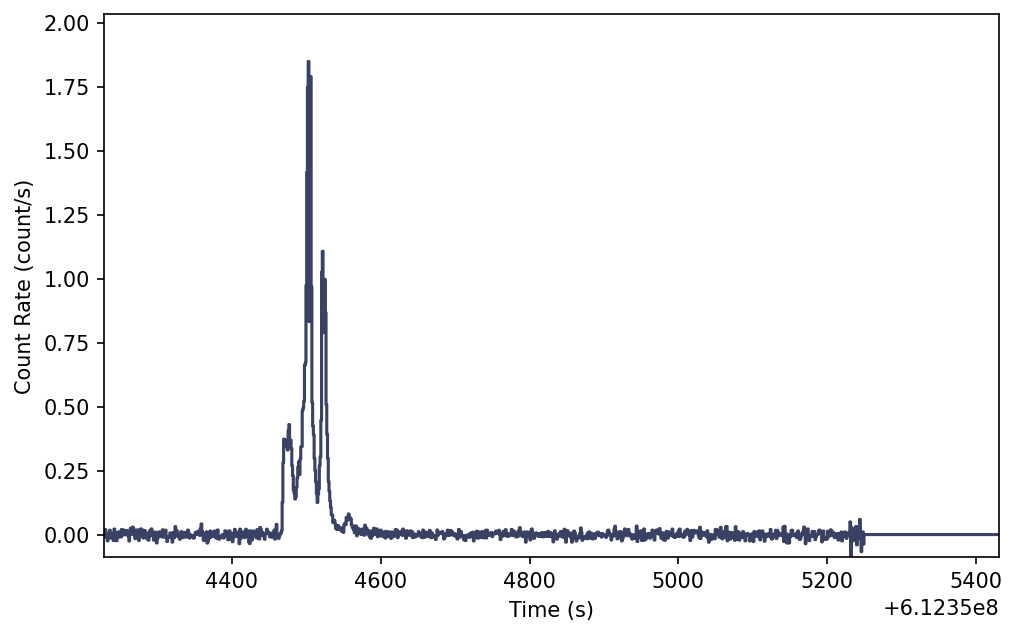
As mentioned, this data is 2-dimensional, so what do we do if we want a lightcurve covering a particular energy range? We integrate (sum) over energy, and we can easily do this:
>>> lightcurve = file.to_lightcurve(energy_range=(15.0, 350.0))
>>> lightcurve
<TimeBins: 1203 bins;
range (612354228.5, 612355431.5);
1 contiguous segments>
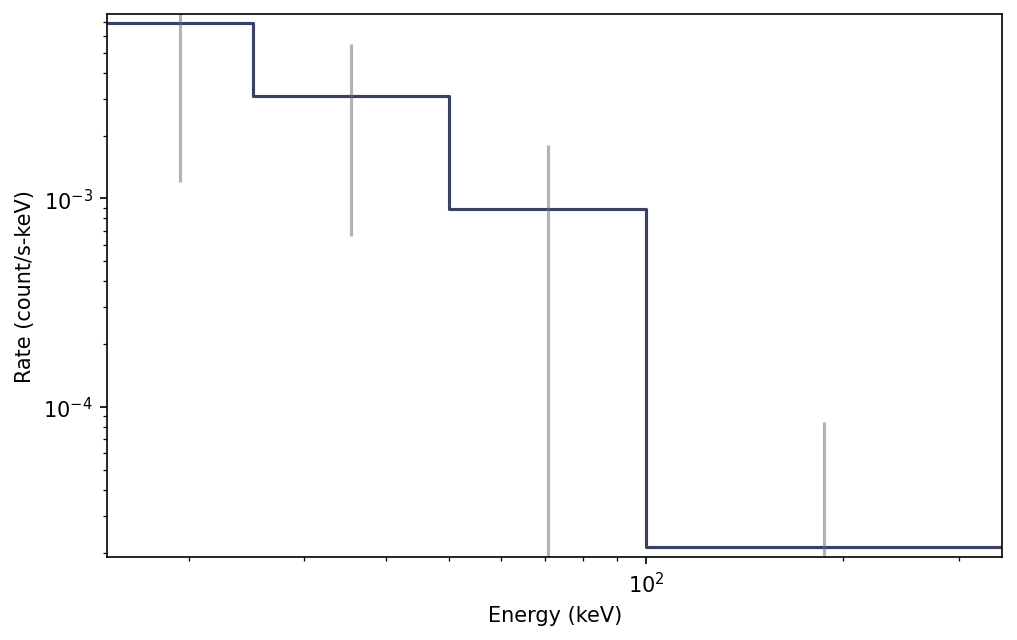
Similarly, we can integrate over time to produce a count spectrum:
>>> spectrum = file.to_spectrum(time_range=(file.trigtime-10.0, file.trigtime+10.0))
>>> spectrum
<EnergyBins: 4 bins;
range (15.0, 350.0);
1 contiguous segments>
The resulting objects are TimeBins and EnergyBins, respectively, and see
1D Binned Data for more details on how
to use them.
Of course, once we have produced a lightcurve or spectrum data object, often
we want to plot it. For that, we use the Lightcurve and Spectrum plotting
classes:
>>> import matplotlib.pyplot as plt
>>> from gdt.core.plot.lightcurve import Lightcurve
>>> lcplot = Lightcurve(data=lightcurve)
>>> lcplot.errorbars.hide()
>>> plt.show()
Similarly, we can plot the count spectrum:
>>> from gdt.core.plot.spectrum import Spectrum
>>> specplot = Spectrum(data=spectrum)
>>> plt.show()
See Plotting Lightcurves and Plotting Count Spectra for more on how to modify these plots.
Finally, we can write out a new fully-qualified lightcurve FITS file after some reduction tasks. For example, we can write out our time-sliced data object:
>>> time_sliced.write('./', filename='my_first_custom_lightcurve.lc')
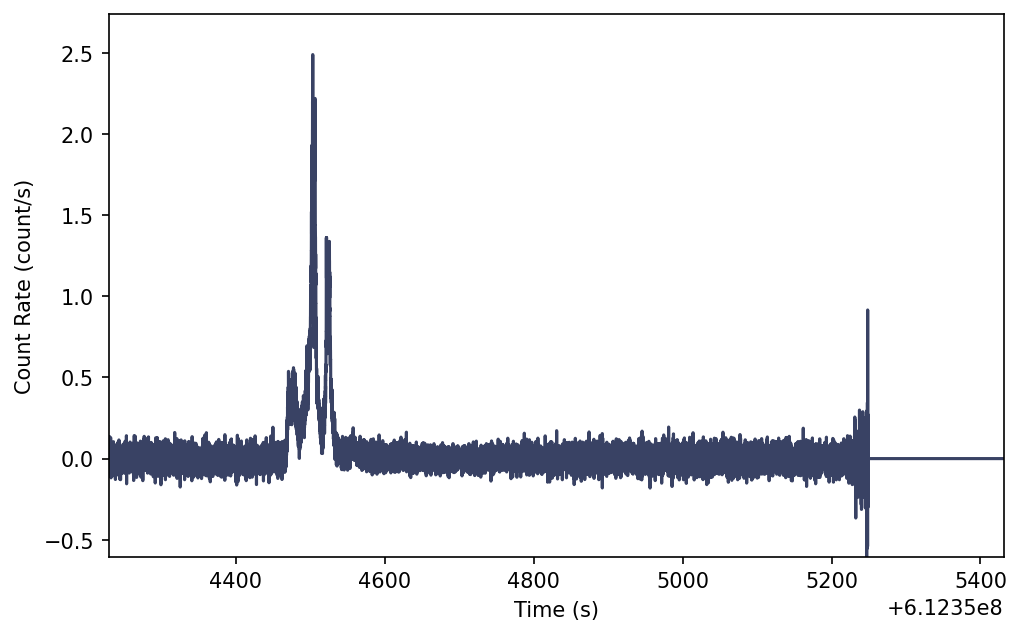
We can also view the 64 ms binning lightcurve file with similar steps.
>>> filepath = data_path.joinpath('swift-bat/sw00974827000bevms.lc.gz')
>>> file = BatLightcurve.open(filepath)
>>> lightcurve = file.to_lightcurve(energy_range=(15.0, 350.0))
>>> lcplot = Lightcurve(data=lightcurve)
>>> lcplot.errorbars.hide()
>>> plt.show()
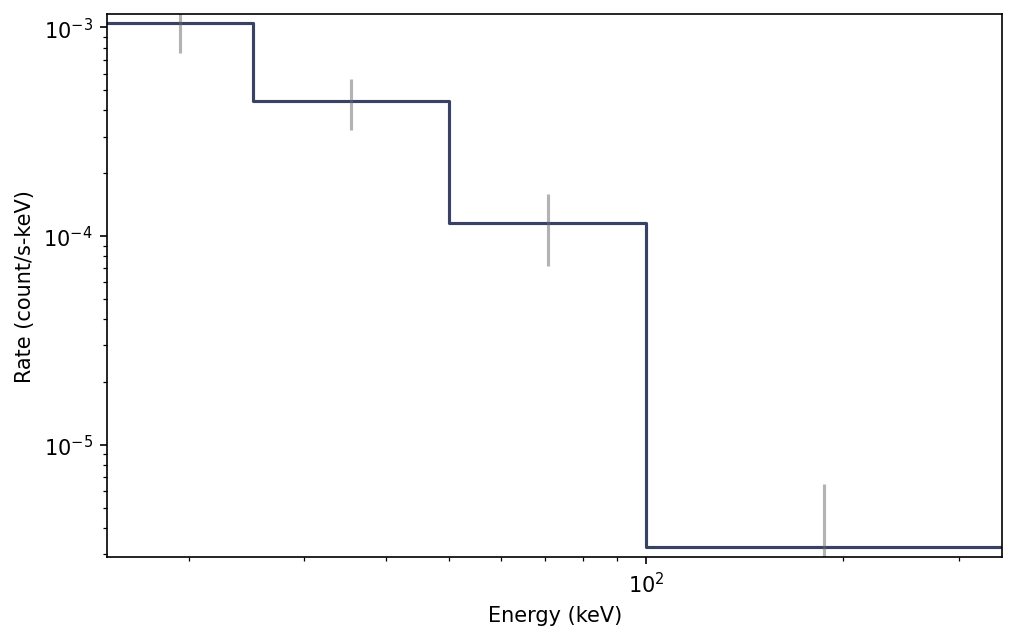
Similarly, we can plot the count spectrum:
>>> specplot = Spectrum(data=file.to_spectrum())
>>> plt.show()
For more details about working with PHAII data, see PHAII Files.
Reference/API
gdt.missions.swift.bat.lightcurve Module
Classes
PHAII class for BAT lightcurve. |
Class Inheritance Diagram
